 RustyRMM
Every device, one console.
RustyRMM gives MSPs and IT teams one lightweight agent for Windows, macOS and Linux. Monitor health, open a real terminal, run scripts across the fleet, patch, and take over the screen, from your browser or your phone.

Secure by design
Single sign-on, two-factor authentication, per-tenant roles, a complete audit log, and agent updates signed with your own key.
Fast and lightweight
A small native agent written in Rust keeps one live connection open, so commands, terminals and alerts arrive instantly with no polling.
Your infrastructure, your choice
Use our managed cloud on a rustyrmm.com subdomain or your own domain, or run it yourself with a single Docker Compose stack.
Everything you need to run a fleet
The same features on Windows, macOS and Linux, managed from one place.
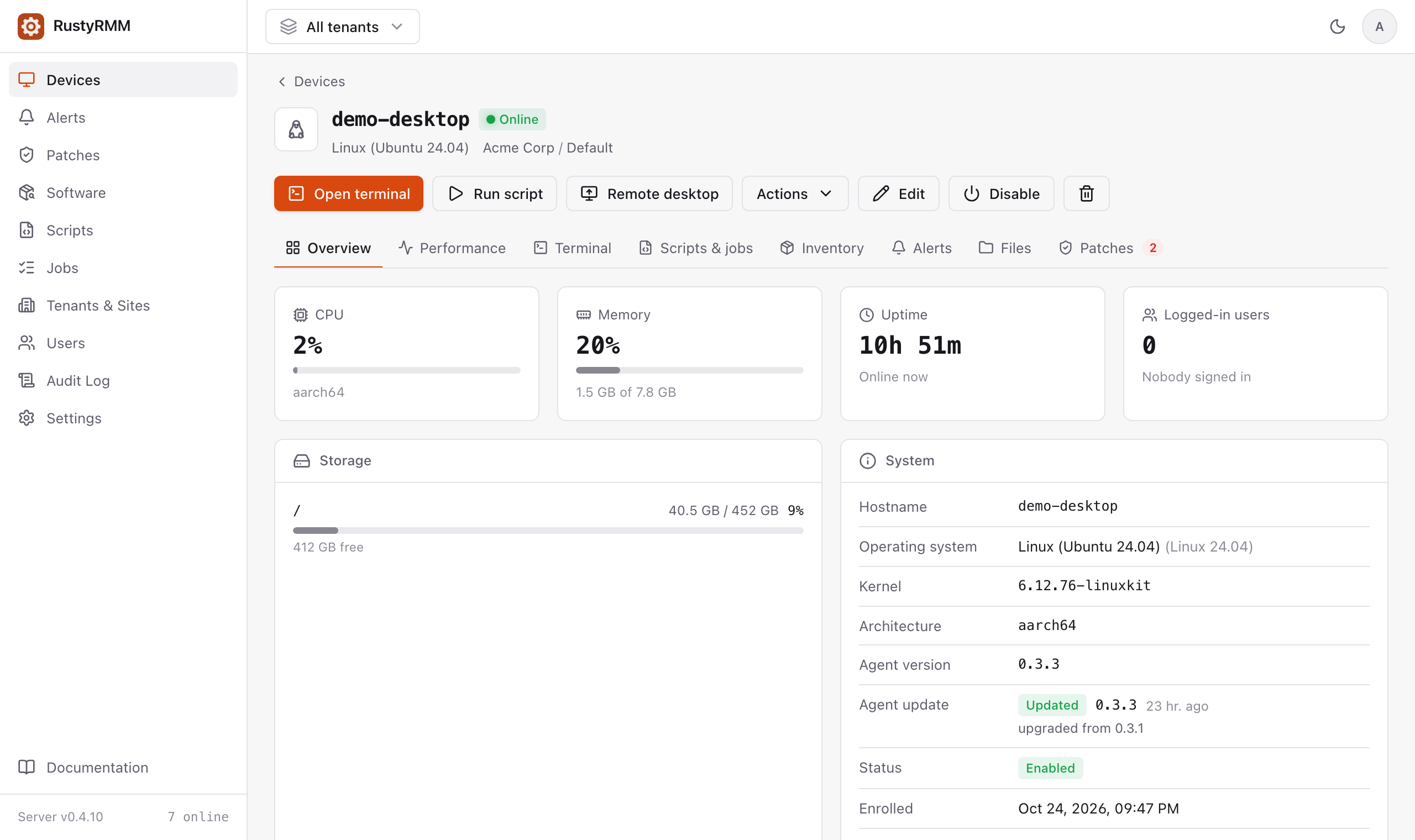
Real-time monitoring
Live CPU, memory, disk, uptime, users and IP addresses for every device, with 30 days of history.
Real remote terminal
A genuine interactive shell, not a command box: colors, tab completion and full-screen tools like htop and vim.
Scripts at scale
PowerShell, bash, zsh and Python on one device or thousands, by tenant, site, tag or platform. Schedule runs and watch output stream live. Starts with 27 ready-made scripts.
Patch management
See missing OS updates across the fleet and install all, selected, or security-only updates on Windows, macOS and Linux.
Remote desktop
One-click RustDesk sessions through your own relay server, with fresh one-time passwords for every connection.
Alerts that reach you
Offline, CPU, memory, disk, failed jobs and updates, sent by email or to Slack, Microsoft Teams, Discord or any webhook.
Built for MSPs
Tenants and sites keep every customer separate. Enroll with a site code, or email users step-by-step setup instructions.
Access control
Sign in with Google, GitHub or Microsoft. Read-only, technician and admin roles per tenant, plus two-factor and an audit log of every action.
Hardware & software inventory
Models, serials, disks and installed software for every device, with fleet-wide search.
Works on your phone
A touch-friendly console you can install as an app on iPhone and Android, with quick actions and a terminal built for phone keyboards.
AI assistant ready
Built-in MCP server: ask Claude and other assistants about your fleet, or have them run scripts, with exactly your permissions.
Safe automatic updates
Agents update themselves from signed releases on stable or beta channels, and roll back on their own if a new version fails.
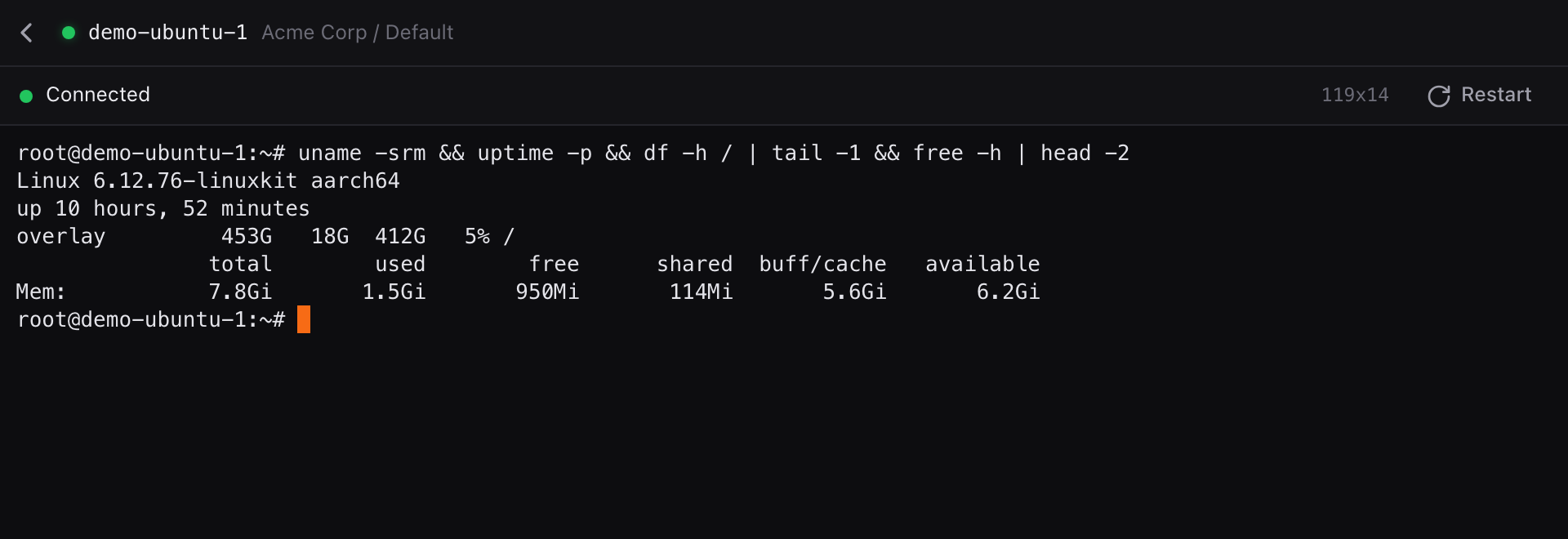
A real shell on every machine
Open a full terminal on any online device in a click, from the console or your phone.
- PowerShell on Windows, your login shell on macOS and Linux
- Works with htop, vim and other full-screen tools
- Every session recorded in the audit log
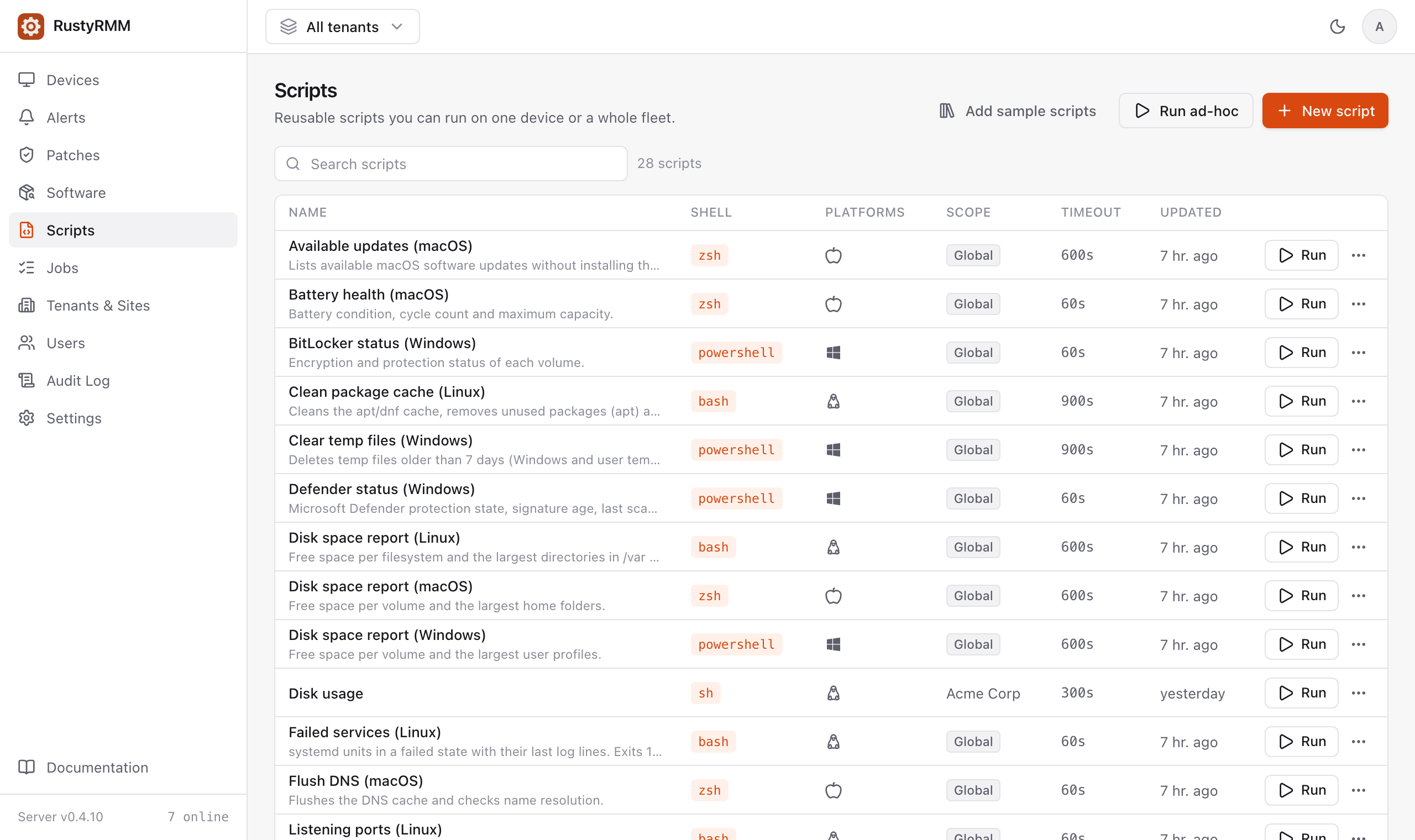
Run it once, or on the whole fleet
Keep a library of scripts for each platform and run them on a device, a site, a tag or every customer at once.
- Live output, exit codes and cancel
- Scheduled runs, and devices that were offline run them when they reconnect
- Starts with 27 ready-made scripts for Windows, macOS and Linux
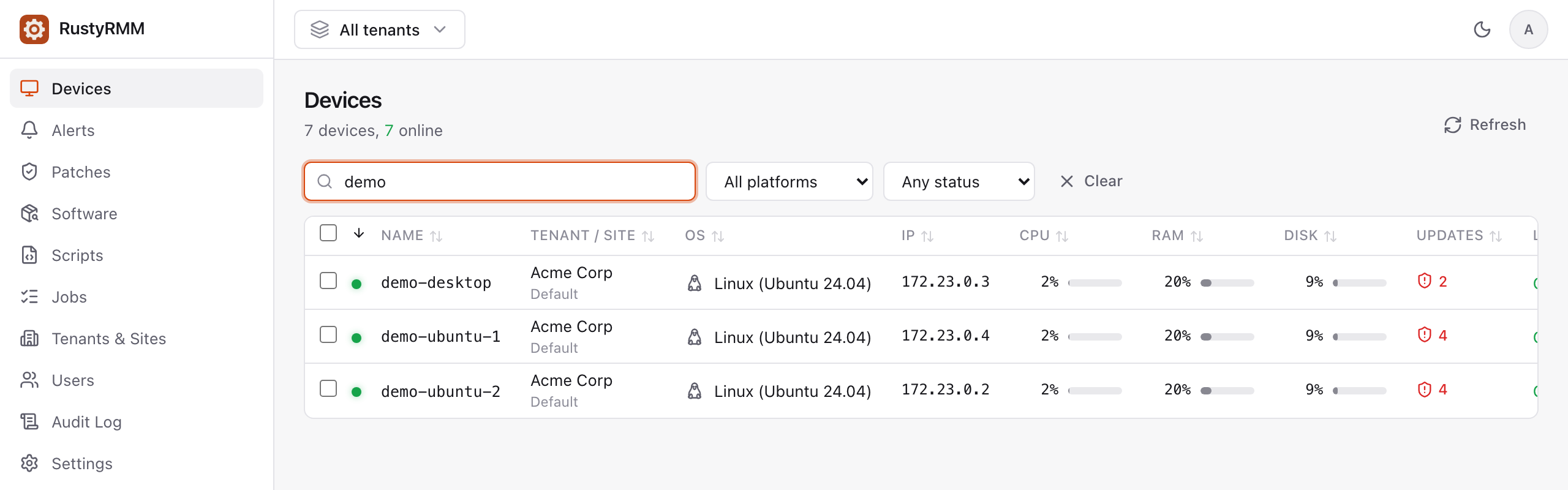
See what needs attention
Status, live usage and pending security updates for every device, filtered by tenant, platform or tag.
- Alerts and reboot-pending flags right in the list
- Select devices for bulk actions
One agent, every major OS
The same capabilities everywhere, installed with a single command or deployed by MDM on Macs.
…
Signed releases ↗
● Available
● Available
● Available
● Available
● Available
Windows 10 (1809) and later · macOS 11 and later · Linux with glibc 2.17 or later
Deploy it your way
Start in the cloud today, or keep everything on your own infrastructure.
Cloud hosting Available now
We run RustyRMM for you: updates, backups and monitoring included.
- No infrastructure to manage
- Automatic updates and maintenance
- High availability and redundancy
- Scales to any number of devices
- 24/7 monitoring and support
- Fast deployment and setup
Self-hosted Early access
Run the whole platform on your own server, for full control of your data.
- One Docker Compose stack on a single Linux host
- HTTPS via Let’s Encrypt, or Cloudflare Tunnel with no open ports
- Bundled RustDesk relay for remote desktop
- Agents update themselves from signed releases
- Meets data-residency and compliance requirements
- No recurring hosting fees
See RustyRMM in action
Get a personalized demo and a fully working trial environment with sample devices and a guided walkthrough.
Get in touch
Questions about pricing, features or deployment? We usually reply within 24 hours on business days.